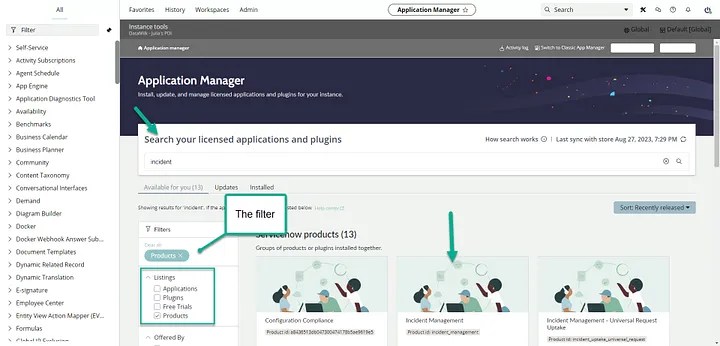
ServiceNow’s update to the ‘Application Manager’ (i.e. system definition > plugins) is truly remarkable. From the UI itself, to small things like making labels easier to understand, this overhaul is a solid 10/10.
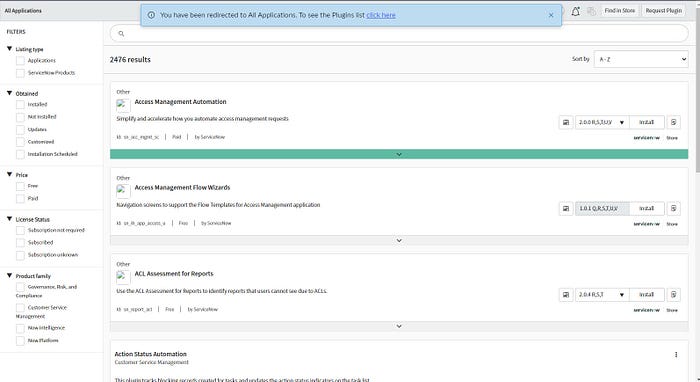
I have to admit, I may have had my “IT hat” on for this UI. I didn’t even realize how much could be improved on the plugin list until the new ‘Application Manager’ appeared.
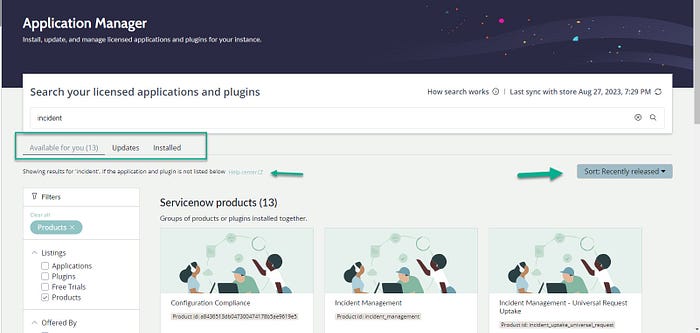
Let’s talk about the clearly labeled search and an improved card view for products. The filter is pretty much the same but it matches the new UI ‘bubbliness’? (still trying to find the right word to describe the old and new UI styles.. the old UI was ‘square’ and the new ui ‘bubbles’? anyway I digress…)

Don’t forget the details. The labels, descriptions and ‘sort’ filter are clearly updated to help admins/users easily maintain and install products.
The left sided filter is similar to the previous UI, so you still have that core ‘anchor’.
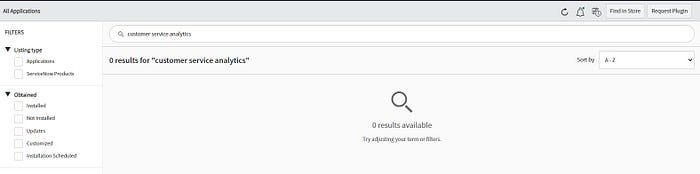
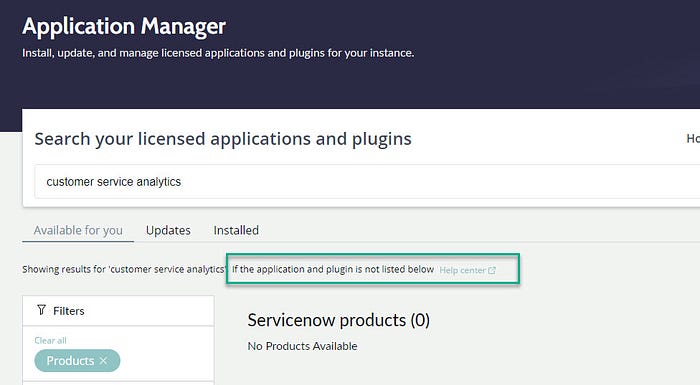
And this is a nice update — previously when you typed search keywords and couldn’t find what you needed, this was the result (below — kinda cold, right…not helpful at all)
And here (below) is the updated version (so much nicer, and helpful — see the help center link)
Go check out the updated ServiceNow Application Manager on the latest Vancouver release, via your PDI.
(Note: PDI’s are free to use and available to any employee of a business working with the platform/purchased the software. All employees need to do in order to sign-up is use their business email. PDI’s do not require a license, and are available to any user who signs up on developer.servicenow.com).
Additional Resources:
ServiceNow Personal Developer Instance (PDI)
Discover more from Julia's Dev
Subscribe to get the latest posts sent to your email.
 Julia's Dev